
7 Video Feedback Tools to Approve Videos in Minutes
We reviewed 7 video feedback tools for creators, agencies and teams that need clearer comments, faster approvals, and fewer messy revision loops.

Getting a video approved should be simple.
But in real client work, feedback often gets scattered across emails, screenshots, WhatsApp messages, Google Docs and vague notes like "change the part near the middle."
That slows everything down.
Video feedback tools help fix this by giving clients and collaborators one place to watch, comment, review versions and approve the final cut.
We reviewed popular video feedback and approval tools based on ease of use, review features, client experience, version control and best use case.
Quick picks
- Best overall for simple video delivery & feedback: MoreTransfer
- Best for professional production teams: Frame.io
- Best for Vimeo users: Vimeo Review
- Best for Dropbox users: Dropbox Replay
- Best for structured marketing approvals: Filestage
- Best for enterprise creative proofing: Ziflow
Comparison Table
| Tool | Pricing | Best for | Feedback features | Main downside |
|---|---|---|---|---|
| MoreTransfer | $15 monthly | Professionals and small teams | Timecoded video comments, No recipient login required | Not built for complex production pipelines |
| Frame.io | $15 monthly | Large video production teams | Timecoded comments, review, approvals | Cost grows as you add team members |
| Vimeo Review | $20 monthly | Vimeo users | Review links and time-stamped feedback | Best if you already use Vimeo |
| Dropbox Replay | $10 monthly or $12 monthly as an add-on | Dropbox users | Comments, review, approvals | Requires a paid Dropbox plan plus the Replay add-on |
| Filestage | $99/month | Marketing and agency approvals | Comments, approvals, review steps | More expensive for smaller creative teams |
| Ziflow | $249/month | Larger creative teams | Markup, annotations, approval decisions | Pricing is much higher than lightweight review tools |
Pricing can change over time. These prices reflect the current cost as of writing this article
Pricing matters too
Video feedback tools can get expensive, especially when they are built for larger teams and formal approval workflows.
For solo editors, freelancers, and small creative teams, the best option is often the tool that solves the real problem without adding unnecessary cost.
Before choosing one, check the full price including users, add-ons, storage, and review features.
Want the simplest option?
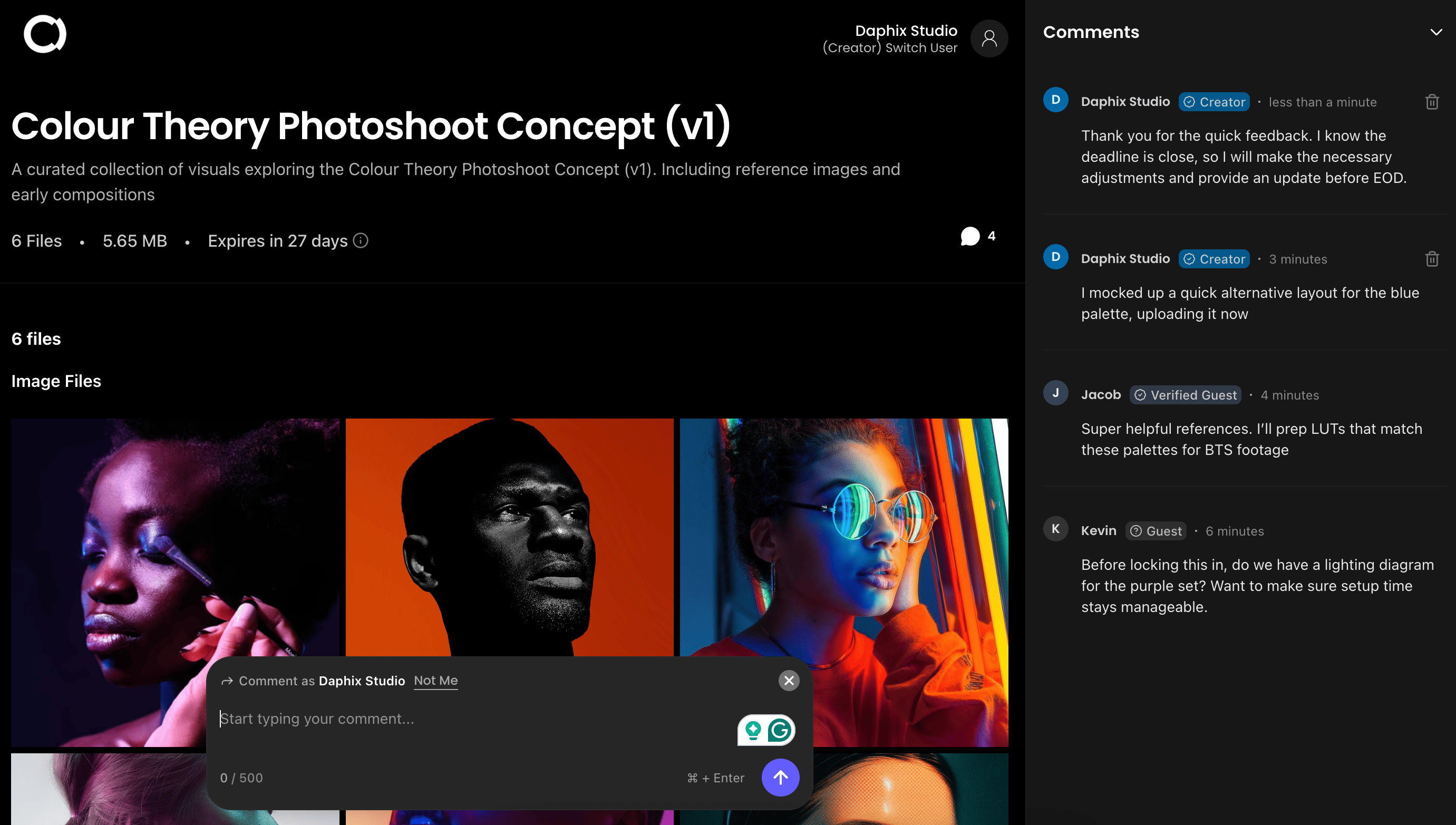
If you just need to send a large video and collect client feedback without forcing clients into a complicated portal, MoreTransfer gives you a clean transfer page where recipients can review files and leave comments.
No credit card required. Recipients do not need an account.Ranked list
1. MoreTransfer - Best for simple video delivery and feedback
 MoreTransfer
MoreTransfer is a good fit if you want to send large video files and collect feedback without turning the process into a full project-management workflow.
It works well for editors, videographers, agencies, creators, and small teams that need a cleaner way to deliver work to clients.
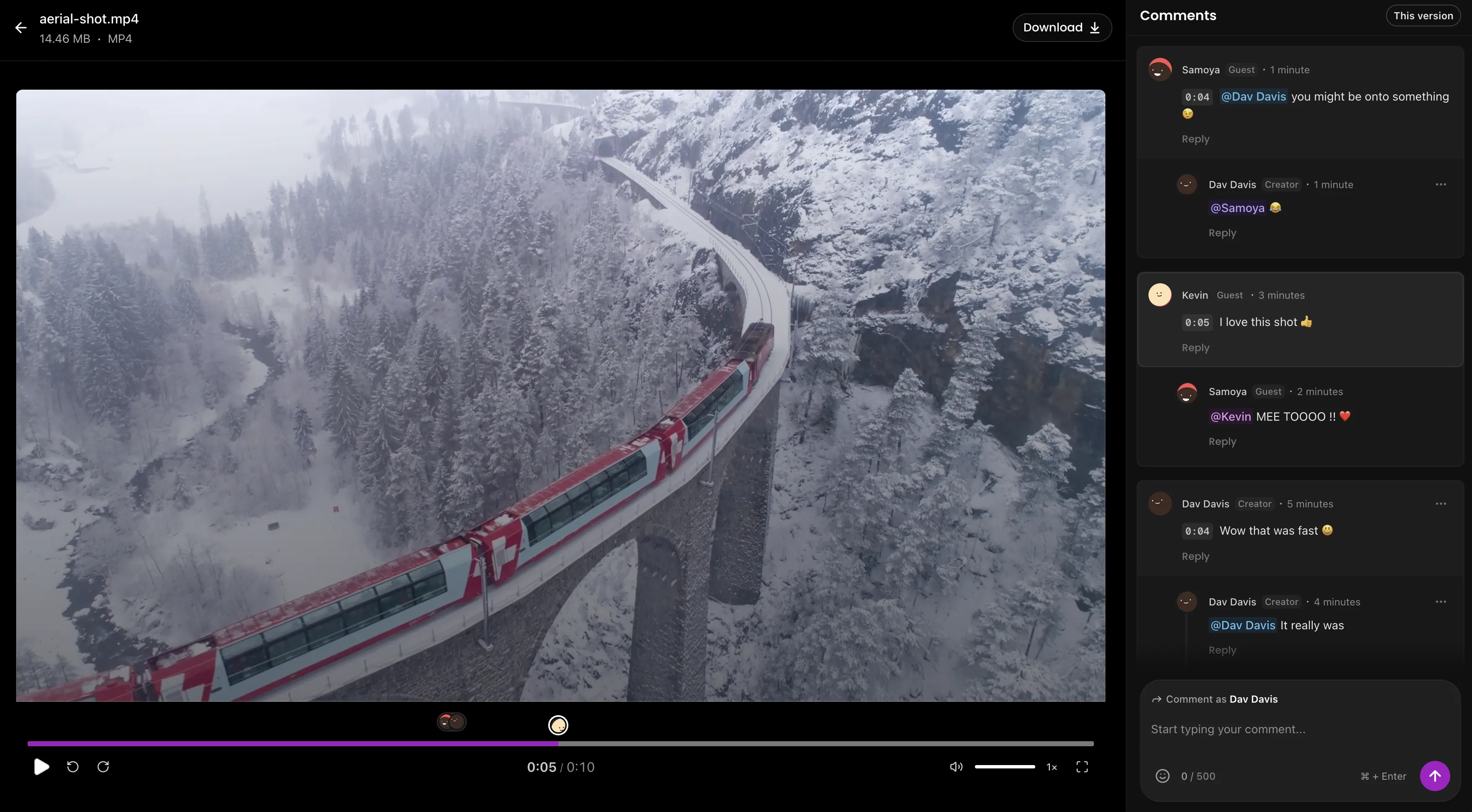
Instead of sending a video in one tool and collecting feedback somewhere else, MoreTransfer keeps the file and the conversation closer together. That makes it easier for clients to open the transfer, review the work, and leave comments in one place.
MoreTransfer is especially useful when the review process is part of delivery, not a separate production workflow.
For example:
- Sending a draft cut to a client
- Sharing a training video for review
- Delivering campaign assets
- Sending multiple creative files
- Collecting comments before final delivery
Where it stands out
- Timecoded comments
- Simple review flow
- File version management
- Large file delivery
- No recipient account required
- Clean client-facing review pages
- Password-protected review pages and access control
Where it may not be the best fit
- Not designed for complex enterprise approval chains
- Advanced production teams may need deeper tools like Frame.io, Filestage, or Ziflow
2. Frame.io - Best for professional video production teams
Frame.io is one of the most popular tools for video review and approval. It is built for creative teams that need precise feedback, organized review rounds, and a central place to manage video projects.
It is especially useful for production teams and agencies.
Frame.io helps reduce vague feedback because comments can be tied to specific moments in the video. That makes it easier for editors to understand exactly what needs to change.
Where it stands out
- Strong video review workflow
- Timecoded comments
- Version management
- Built for creative teams
- Good for projects with multiple reviewers
- Strong fit for professional post-production
Where it may not be the best fit
- May feel too heavy for simple client delivery
- Smaller teams may not need all the workflow features
3. Vimeo Review - Best for teams already using Vimeo
Vimeo Review is a good option if your team already uses Vimeo to host, manage, or share videos.
It lets reviewers leave feedback on videos, which can help teams avoid scattered comments across email and chat. It is especially useful for businesses and creators who want video hosting and review features in one platform.
Where it stands out
- Good for Vimeo users
- Clean video presentation
- Review links
- Time-stamped feedback
- Useful for hosted video workflows
- Familiar platform for many creators
Where it may not be the best fit
- Best value if Vimeo is already part of your workflow
- Not mainly built around large file transfer delivery
4. Dropbox Replay - Best for Dropbox users
Dropbox Replay is a review and approval tool for video, image, and audio files. It works best for teams that already use Dropbox to store and share creative files.
If your team already keeps project files in Dropbox, Replay can make feedback easier because review happens close to where the files already live.
Where it stands out
- Good fit for Dropbox users
- Supports video, image, and audio review
- Helps organize comments and approvals
- Useful for teams already storing files in Dropbox
Where it may not be the best fit
- Less useful if you do not already use Dropbox
- May not be the simplest option for one-off client delivery
5. Filestage - Best for structured marketing approvals
Filestage is a review and approval platform for teams that need a more organized approval process.
It works well for marketing teams, agencies, and brands where several people need to review and approve content before it goes live.
If your approval process includes creative, marketing, legal, and client stakeholders, Filestage can help keep each step organized.
Where it stands out
- Structured approval workflows
- Version control
- Good for marketing teams
- Useful for agencies
- Supports multiple content types
- Helps manage several reviewers
Where it may not be the best fit
- Can feel too formal for simple video reviews
- Solo creators and small teams may not need the extra process
6. Ziflow - Best for enterprise creative proofing
Ziflow is built for creative proofing and approval across videos, images, documents, and other assets.
It is best suited for larger teams that need detailed review tools, markup, version comparison, and formal approval decisions.
For companies with complex approval workflows, Ziflow can help reduce confusion around who reviewed what, what changed, and whether the asset is approved.
Where it stands out
- Advanced proofing
- Markup and annotations
- Approval decisions
- Version comparison
- Good for larger creative teams
- Works across multiple asset types
Where it may not be the best fit
- Too advanced for simple client video feedback
- Smaller teams may find it more complex than necessary
How to choose the right video feedback tool
The best video feedback tool depends on how your team works.
If you mostly send videos to clients
Choose a tool that makes delivery simple. Your client should be able to open the link, watch the video, leave feedback, and download files without confusion.
MoreTransfer is a strong fit for this kind of workflow.
If you work inside a production team
Choose a tool with deeper review features, version control, and collaboration tools.
Frame.io may be a better fit.
If your team already uses Vimeo or Dropbox
It may be easier to use the review tools already connected to your existing platform.
Vimeo Review and Dropbox Replay are strongest when you are already using those ecosystems.
If approvals involve many stakeholders
Choose a more structured review and approval platform.
Filestage and Ziflow are better suited for teams with multiple reviewers, formal approvals, and several rounds of feedback.
What to look for in a video feedback tool
Before choosing a platform, look for:
- Timecoded comments: Can reviewers comment on exact moments?
- Version control: Can you keep feedback organized across versions?
- Client experience: Is it easy for non-technical clients to use?
- Approval tracking: Can reviewers clearly approve the final version?
- File delivery: Can you send or deliver the final files easily?
- Security: Can you control access with private links, passwords, or expiry?
- Workflow fit: Is the tool simple enough for your real process?
- Cost: Does the pricing make sense for the way you work, or are you paying for enterprise features your team does not need?
If you mainly need to send a video, collect clear feedback, and get approval faster, look for a tool that matches that workflow without forcing you to pay for a much heavier system.
FAQ
What is the best video feedback tool?
For simple video delivery and client feedback, MoreTransfer is a strong option. For advanced production review, Frame.io is one of the most popular choices. The best tool depends on whether you need simple client comments or a full review and approval workflow.
What is the best video feedback tool for clients?
The best client feedback tool is one that clients can use without training. Look for a clean review link, simple comments, no complicated setup, and a clear way to approve the final video.
What is the best Frame.io alternative?
If you want a lighter way to send videos and collect feedback, MoreTransfer may be a good Frame.io alternative. If you need advanced proofing and approval workflows, Filestage or Ziflow may be better options.
Can clients leave comments on videos without creating an account?
Some tools allow clients to review or comment through shared links, depending on the platform and settings. If client friction is a concern, choose a tool that does not require recipients to create an account just to review a file.
Do I need video feedback software?
You may not need it for one quick review. But if you regularly send videos to clients, collect revisions, manage versions, or chase approvals, a video feedback tool can save time and reduce confusion.
What is the fastest way to get video approval?
The fastest workflow is to send one clear review link, ask for comments directly on the video, keep all feedback in one place, upload the next version, and get a clear approval before final delivery.
The simple choice
Send your first transfer tonight
MoreTransfer makes it effortless to send large files fast with a clean, private transfer link. Built for creators, teams, and anyone who values simplicity and control.
No credit card required
More from the blog
How to Send Large Video Files to Clients for Review
Send full quality video with one review link, keep client comments in one place, and make final delivery feel tidy instead of chaotic.
4 mins read
Introducing MoreTransfer Reviews: A Simple Way to share files and collect client feedback
Transfer review and feedback is built for creatives, editors and agencies who need a simpler way to send large files and collect feedback in one place.
4 mins read

How to Send a 100GB File Securely with an Expiring Link
Need to send a 100GB file without losing control of it? Here is how to use expiring links, passwords, tracking and region choice.
5 mins read